


首页 > 教程
微信小程序登陆封装
- 2025-04-07
- 1203 ℃
index.wxml
<!-- 登陆组件弹窗 -->
<van-popup show="{{ loginBtn }}" round position="bottom" custom-style="height: 24%" bind:close="onClose" duration="246">
	<view class="loginPanel">
		<view class="panel-title">我想要你的头像和昵称,可以嘛~</view>
		<view class="panel-btns">
			<van-button type="info" round bind:click="onClose">不可以</van-button>
			<van-button type="primary" round bind:click="_login">好的</van-button>
		</view>
	</view>
</van-popup>
<!-- 内容 -->
<block wx:if="{{!loginShow}}">
	<view class="loginok">
		<view>韩小韩博客 wwww.vvhan.com</view>
		<view>登录成功</view>
		<image src="{{userInfo.avatarUrl}}" mode="widthFix" />
		<view>Nick:{{userInfo.nickName}}</view>
		<view>OpenId:{{userInfo.openid}}</view>
	</view>
</block>
<block wx:else>
	<van-button class="loginbtn" plain type="info" bind:click="onClose">点击登录</van-button>
</block>
index.js
const app = getApp();
Page({
	data: {
		// 登陆按钮现实隐藏
		loginBtn: false,
		// 全局是否登陆
		loginShow: false,
		// 用户信息
		userInfo: {}
	},
	async onLoad() {
		const _res = await app._checkLogin();
		this.setData({
			loginBtn: _res,
			loginShow: _res,
			userInfo: app.globalData.userInfo
		});
	},
	// 登陆
	async _login() {
		const _res = await app._getUserInfo();
		_res &&
			this.setData({
				userInfo: app.globalData.userInfo,
				loginBtn: false
			}),
			this.onLoad();
	},
	// 关闭登陆弹窗
	onClose(e) {
		this.setData({
			loginBtn: e.type == "click" ? !this.data.loginBtn : false
		});
	}
});
app.js
App({
  onLaunch: function () {
    // 全局变量
    this.globalData = {
      openId: wx.getStorageSync('openId'),
      userInfo: wx.getStorageSync('userInfo')
    };
    if (!wx.cloud) {
      console.error('请使用 2.2.3 或以上的基础库以使用云能力');
    } else {
      wx.cloud.init({
        // env 参数说明:
        //   env 参数决定接下来小程序发起的云开发调用(wx.cloud.xxx)会默认请求到哪个云环境的资源
        //   此处请填入环境 ID, 环境 ID 可打开云控制台查看
        //   如不填则使用默认环境(第一个创建的环境)
        // env: 'my-env-id',
        traceUser: true,
      });
    }
    // 微信小程序获取版本更新
    const updateManager = wx.getUpdateManager()
    updateManager.onCheckForUpdate(function (res) {
      // 请求完新版本信息的回调
    })
    updateManager.onUpdateReady(function () {
      wx.showModal({
        title: '小韩提示',
        content: '新版来袭,速来体验!',
        success: function (res) {
          if (res.confirm) {
            updateManager.applyUpdate()
          }
        }
      })
    })
    updateManager.onUpdateFailed(function () {
      // 新版本下载失败
    });

    // 获取OpedId
    this._getOpenId()
  },
  // 获取用户OpenId
  _getOpenId() {
    ((this.globalData.openId || '') == '') && wx.cloud.callFunction({
      name: 'login'
    }).then(res => {
      this.globalData.openId = res.result.openid;
      wx.setStorageSync('openId', res.result.openid)
    }).catch(res => {
      console.error(res)
    });
  },
  // 判断是否登陆
  async _checkLogin() {
    const _this = this
    return new Promise((resolve) => {
      wx.checkSession({
        success: function (_res) {
          const _userInfo = wx.getStorageSync('userInfo');
          resolve((_userInfo || '') === '')
        },
        fail: async function (_res) {
          await wx.login({})
          resolve(true)
        }
      })
    })
  },
  // 获取用户信息并存储
  async _getUserInfo() {
    return new Promise((resolve) => {
      wx.getUserProfile({
        desc: 'get用户信息',
        success: async res => {
          res.userInfo.openid = this.globalData.openId
          this.globalData.userInfo = res.userInfo
          wx.setStorageSync('userInfo', res.userInfo)
          resolve(true)
        },
        fail: () => {
          resolve(false)
        }
      });
    })
  },
});
}); 进入有缘空间
 点击分享文章
下一篇:微信小程序自用Tree树形控件
相关内容
 微信开小号辅助注册避免...
 浏览页面忘记密码解决办法
 php数组函数
 什么是高级的竞争
 微信深度清理,一次清理...
- 无需视频号!不靠微信收...
- 到底哪个音乐软件听歌是...
- 这些搜索方法可以助你事...
-
原生JS简易计算器
2025-04-07 1237
-
公网IPV6访问家庭设备,实现文件共享
2024-12-11 2751
-

人人都是增长黑客
2024-05-29 1641
-
医患纠纷案例解析与防范要点
2024-06-18 1692
-
Vue底层判断标签的性能优化方法
2025-04-07 1580
-

移动硬盘打不开千万别格式化
2025-07-03 1173
-
mac 80个使用技巧合集
2025-08-24 1382
-
拒绝软件捆绑,这些电脑软件下载网站你知道吗
2025-03-10 1892
-
鼠标点击波纹特效 html+css+js
2025-04-07 1231
-

中毒的分类和诊断
2024-06-18 1248
文章评论 (0)
- 这篇文章还没有收到评论,赶紧来抢沙发吧~
系统推荐








阅读排行
-
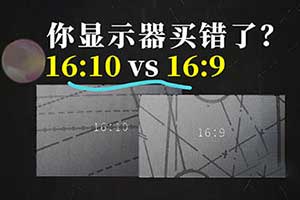
显示器比例影响效率?16:10 比 16:9 更好用?
5228℃
-

【Galgame】什么?你还不知道什么是galgame!全网最详...
5136℃
-

国内可直连的直播源
3685℃
-
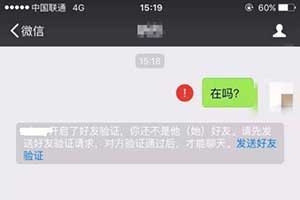
微信怎么看好友是否把你删除?免打扰检测方法
3287℃
-
微信让女朋友无法删除拉黑你的微信好友方法
3267℃
-
不备案可以在微信中直接打开的域名后缀
3223℃
-
Coze 扣子 - 字节出品的超强 AI Bot 工具教程,...
3037℃
-
通过 SWOT 分析法,看美团优选的先天优势
2978℃
-

如何切割长图打印成 A4 尺寸?|99% 的人不知道的浏...
2936℃
-

什么是深网?有危险吗?如何从A-Z进入深网
2822℃