


首页 > 教程
HTML粘性滑块导航页面Demo - 可自由填充内容
- 2025-04-07
- 1242 ℃

HTML 代码
<!doctype html>
<html>
  <head>
    <meta charset="UTF-8" />
    <meta name="viewport" content="width=device-width, user-scalable=no, initial-scale=1.0, maximum-scale=1.0, minimum-scale=1.0" />
    <meta http-equiv="X-UA-Compatible" content="ie=edge" />
    <title>jQuery粘性滑块导航(响应式)</title>
    <link rel="stylesheet" href="./style.css" />
  </head>

  <body>
    <section>
      <h1>粘性滑块导航</h1>
      <h3>滑动内容与粘性选项卡导航</h3>
      <div>
        <a href="#tab-es6">ES6</a>
        <a href="#tab-flexbox">Flexbox</a>
        <a href="#tab-react">React</a>
        <a href="#tab-angular">Angular</a>
        <a href="#tab-other">Other</a>
        <span></span>
      </div>
    </section>

    <!-- Main -->
    <main>
      <section id="tab-es6">
        <h1>ES6</h1>
        <h3>something about es6</h3>
      </section>
      <section id="tab-flexbox">
        <h1>Flexbox</h1>
        <h3>something about flexbox</h3>
      </section>
      <section id="tab-react">
        <h1>React</h1>
        <h3>something about react</h3>
      </section>
      <section id="tab-angular">
        <h1>Angular</h1>
        <h3>something about angular</h3>
      </section>
      <section id="tab-other">
        <h1>Other</h1>
        <h3>something about other</h3>
      </section>
    </main>

    <script src="https://cdn.bootcdn.net/ajax/libs/jquery/3.7.1/jquery.min.js"></script>
    <script src="./script.js"></script>
  </body>
</html>
CSS 代码
a {
  text-decoration: none;
}

.et-hero-tabs,
.et-slide {
  display: flex;
  flex-direction: column;
  justify-content: center;
  align-items: center;
  height: 100vh;
  position: relative;
  background: #eee;
  text-align: center;
  padding: 0 2em;
}
.et-hero-tabs h1,
.et-slide h1 {
  font-size: 2rem;
  margin: 0;
  letter-spacing: 1rem;
}
.et-hero-tabs h3,
.et-slide h3 {
  font-size: 1rem;
  letter-spacing: 0.3rem;
  opacity: 0.6;
}

.et-hero-tabs-container {
  display: flex;
  flex-direction: row;
  position: absolute;
  bottom: 0;
  width: 100%;
  height: 70px;
  box-shadow: 0 0 20px rgba(0, 0, 0, 0.1);
  background: #fff;
  z-index: 10;
}
.et-hero-tabs-container--top {
  position: fixed;
  top: 0;
}

.et-hero-tab {
  display: flex;
  justify-content: center;
  align-items: center;
  flex: 1;
  color: #000;
  letter-spacing: 0.1rem;
  transition: all 0.5s ease;
  font-size: 0.8rem;
}
.et-hero-tab:hover {
  color: white;
  background: rgba(102, 177, 241, 0.8);
  transition: all 0.5s ease;
}

.et-hero-tab-slider {
  position: absolute;
  bottom: 0;
  width: 0;
  height: 6px;
  background: #66b1f1;
  transition: left 0.3s ease;
}

@media (min-width: 800px) {
  .et-hero-tabs h1,
  .et-slide h1 {
    font-size: 3rem;
  }
  .et-hero-tabs h3,
  .et-slide h3 {
    font-size: 1rem;
  }

  .et-hero-tab {
    font-size: 1rem;
  }
}
JS 代码
class StickyNavigation {
  constructor() {
    this.currentId = null;
    this.currentTab = null;
    this.tabContainerHeight = 70;
    let self = this;
    $(".et-hero-tab").click(function () {
      self.onTabClick(event, $(this));
    });
    $(window).scroll(() => {
      this.onScroll();
    });
    $(window).resize(() => {
      this.onResize();
    });
  }

  onTabClick(event, element) {
    event.preventDefault();
    let scrollTop = $(element.attr("href")).offset().top - this.tabContainerHeight + 1;
    $("html, body").animate({ scrollTop: scrollTop }, 600);
  }

  onScroll() {
    this.checkTabContainerPosition();
    this.findCurrentTabSelector();
  }

  onResize() {
    if (this.currentId) {
      this.setSliderCss();
    }
  }

  checkTabContainerPosition() {
    let offset = $(".et-hero-tabs").offset().top + $(".et-hero-tabs").height() - this.tabContainerHeight;
    if ($(window).scrollTop() > offset) {
      $(".et-hero-tabs-container").addClass("et-hero-tabs-container--top");
    } else {
      $(".et-hero-tabs-container").removeClass("et-hero-tabs-container--top");
    }
  }

  findCurrentTabSelector(element) {
    let newCurrentId;
    let newCurrentTab;
    let self = this;
    $(".et-hero-tab").each(function () {
      let id = $(this).attr("href");
      let offsetTop = $(id).offset().top - self.tabContainerHeight;
      let offsetBottom = $(id).offset().top + $(id).height() - self.tabContainerHeight;
      if ($(window).scrollTop() > offsetTop && $(window).scrollTop() < offsetBottom) {
        newCurrentId = id;
        newCurrentTab = $(this);
      }
    });
    if (this.currentId != newCurrentId || this.currentId === null) {
      this.currentId = newCurrentId;
      this.currentTab = newCurrentTab;
      this.setSliderCss();
    }
  }

  setSliderCss() {
    let width = 0;
    let left = 0;
    if (this.currentTab) {
      width = this.currentTab.css("width");
      left = this.currentTab.offset().left;
    }
    $(".et-hero-tab-slider").css("width", width);
    $(".et-hero-tab-slider").css("left", left);
  }
}

new StickyNavigation(); 进入有缘空间
 点击分享文章
相关内容
 mac 80个使用技巧合集
- 小城市养老向公务员备考心得
- Vue底层判断标签的性能优...
- 批量提取word文档标题
- 如何搜索到自己想要的资源
 如何删除电脑中超大文件
 PHP计算显示平均温度、五...
 php使用header()函数导出excel表格
-

Wireshark - 网络抓包工具截取并分析各种网络数据包
2025-06-16 1308
-

fastadmin微信扫码登录网页登录
2021-06-01 2060
-

如何切割长图打印成 A4 尺寸?|99% 的人不知道的浏览器打印图片技巧
2024-07-03 2936
-

微信快速把图片变成表格
2025-06-22 1474
-

微信转账查看对方是否把我删除好友
2025-06-22 2015
-
心中无码,自然高清
2025-03-10 1559
-
免费下载PPT模板的网站来了
2025-03-10 1574
-

ChatGPT与AI绘画的本质
2024-05-10 1320
-

Zend推出新开发套件 PHP码农也能开发iOS应用
2021-04-07 1831
-

公众号主体变更后,批量更新openid
2021-04-07 1180
文章评论 (0)
- 这篇文章还没有收到评论,赶紧来抢沙发吧~
系统推荐






阅读排行
-
显示器比例影响效率?16:10 比 16:9 更好用?
5229℃
-

【Galgame】什么?你还不知道什么是galgame!全网最详...
5136℃
-

国内可直连的直播源
3685℃
-

微信怎么看好友是否把你删除?免打扰检测方法
3287℃
-
微信让女朋友无法删除拉黑你的微信好友方法
3267℃
-

不备案可以在微信中直接打开的域名后缀
3223℃
-

Coze 扣子 - 字节出品的超强 AI Bot 工具教程,...
3038℃
-
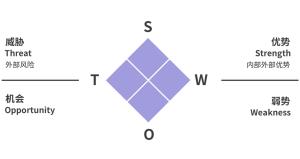
通过 SWOT 分析法,看美团优选的先天优势
2979℃
-
如何切割长图打印成 A4 尺寸?|99% 的人不知道的浏...
2936℃
-

什么是深网?有危险吗?如何从A-Z进入深网
2822℃