


首页 > 教程
H5页面移动端软键盘弹出时,底部absolute或者fixed定位被顶上去
- 2024-03-02
- 1898 ℃
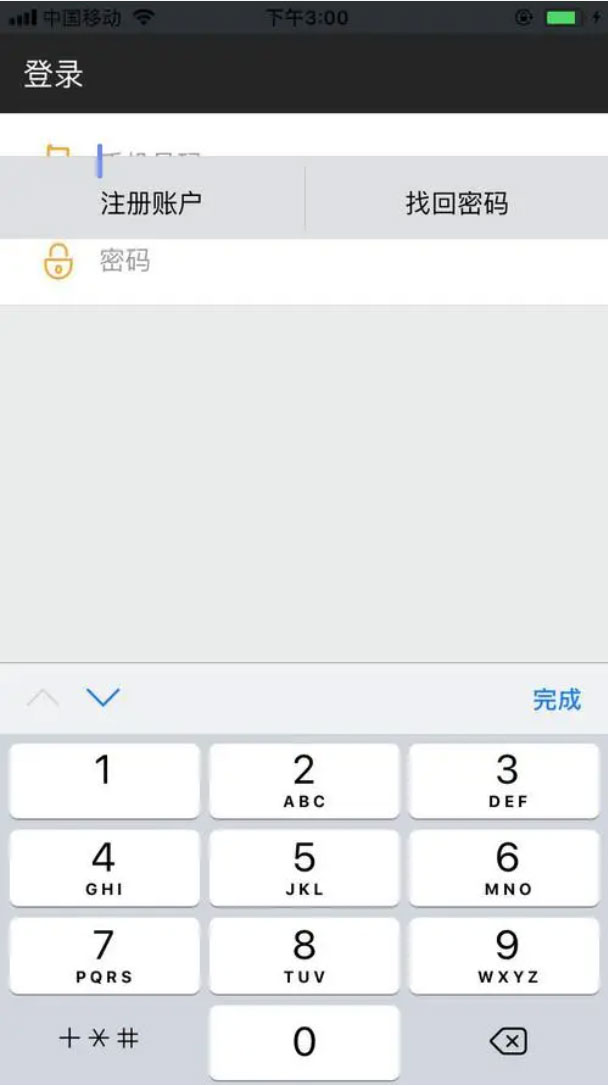
H5开发中,移动端页面的底部菜单栏,通常会使用fixed或者absolute定位在底部,特别是登录,注册页面底部的信息,在安卓手机上经常会出现软键盘弹出时,底部定位被顶上去,下面提供vue和jQuery两种解决办法。
vue解决方法
<!--html部分-->
<div class="footer" v-show="hideshow"></div>
// js 部分
data(){
  return {
    docmHeight: document.documentElement.clientHeight,  //默认屏幕高度
    showHeight: document.documentElement.clientHeight,   //实时屏幕高度
    hideshow:true,  //显示或者隐藏footer
  }},mounted() {
  // window.onresize监听页面高度的变化
  window.onresize = ()=>{
    return(()=>{
      this.showHeight = document.body.clientHeight;
    })()
  }},//监听watch:{
  showHeight:function() {
    if(this.docmHeight > this.showHeight){
      this.hideshow=false
    }else{
      this.hideshow=true
    }
  }
}
js解决方案
var winHeight = $(window).height();  //获取当前页面高度
$(window).resize(function () {
  var thisHeight = $(this).height();
  if ( winHeight - thisHeight > 140 ) {
    //键盘弹出
    $('.footer').css('position','static');
  } else {
    //键盘收起
    $('.footer').css({'position':'fixed','bottom':'0'});
  }
}) 进入有缘空间
 点击分享文章
上一篇:微信的8个实用功能,隐藏技巧
下一篇:如何使用php与数据库进行交互
相关内容
 微软超逼真的、带神经网...
 图小小 – 开源、批...
- 什么是暗网,暗网不是冒...
- 互联网分几层?普通人又...
- 网页用JS屏蔽各种按键代码
 电视源分享 - 在线看央...
- PHP生成随机字符 可做随...
- 语音转文字,文字转语音...
-
微信小程序登陆封装
2025-04-07 1204
-

php使用header()函数导出excel表格
2021-07-12 1584
-
如何与竞争对手合作
2024-05-29 1352
-

wordpress不使用插件解决网站加载慢和头像不显示
2021-04-13 1969
-

fastadmin基于ZipArchive生成压缩文件下载到本地
2021-05-25 2292
-
微信小程序调用摄像头实现手机拍照的功能源码
2025-04-07 1509
-
class中函数的this指向
2025-04-07 1114
-
产品差异化竞争的 5 个建议
2024-05-29 2469
-
免费搭建最强网文神器网页版!完爆任何小说APP
2025-04-27 1122
-
2025年8款免费且好用的图片翻译工具
2025-03-04 1852
文章评论 (0)
- 这篇文章还没有收到评论,赶紧来抢沙发吧~
系统推荐






阅读排行

-

显示器比例影响效率?16:10 比 16:9 更好用?
5229℃
-

【Galgame】什么?你还不知道什么是galgame!全网最详...
5136℃
-

国内可直连的直播源
3685℃
-

微信怎么看好友是否把你删除?免打扰检测方法
3287℃
-
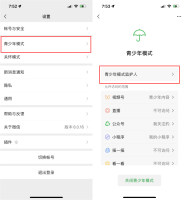
微信让女朋友无法删除拉黑你的微信好友方法
3267℃
-

不备案可以在微信中直接打开的域名后缀
3223℃
-
Coze 扣子 - 字节出品的超强 AI Bot 工具教程,...
3038℃
-
通过 SWOT 分析法,看美团优选的先天优势
2979℃
-

如何切割长图打印成 A4 尺寸?|99% 的人不知道的浏...
2936℃
-

什么是深网?有危险吗?如何从A-Z进入深网
2822℃